Google Adds “Branded Queries Filter” in Search Console — New Way to Segment Brand vs Non-Brand Traffic
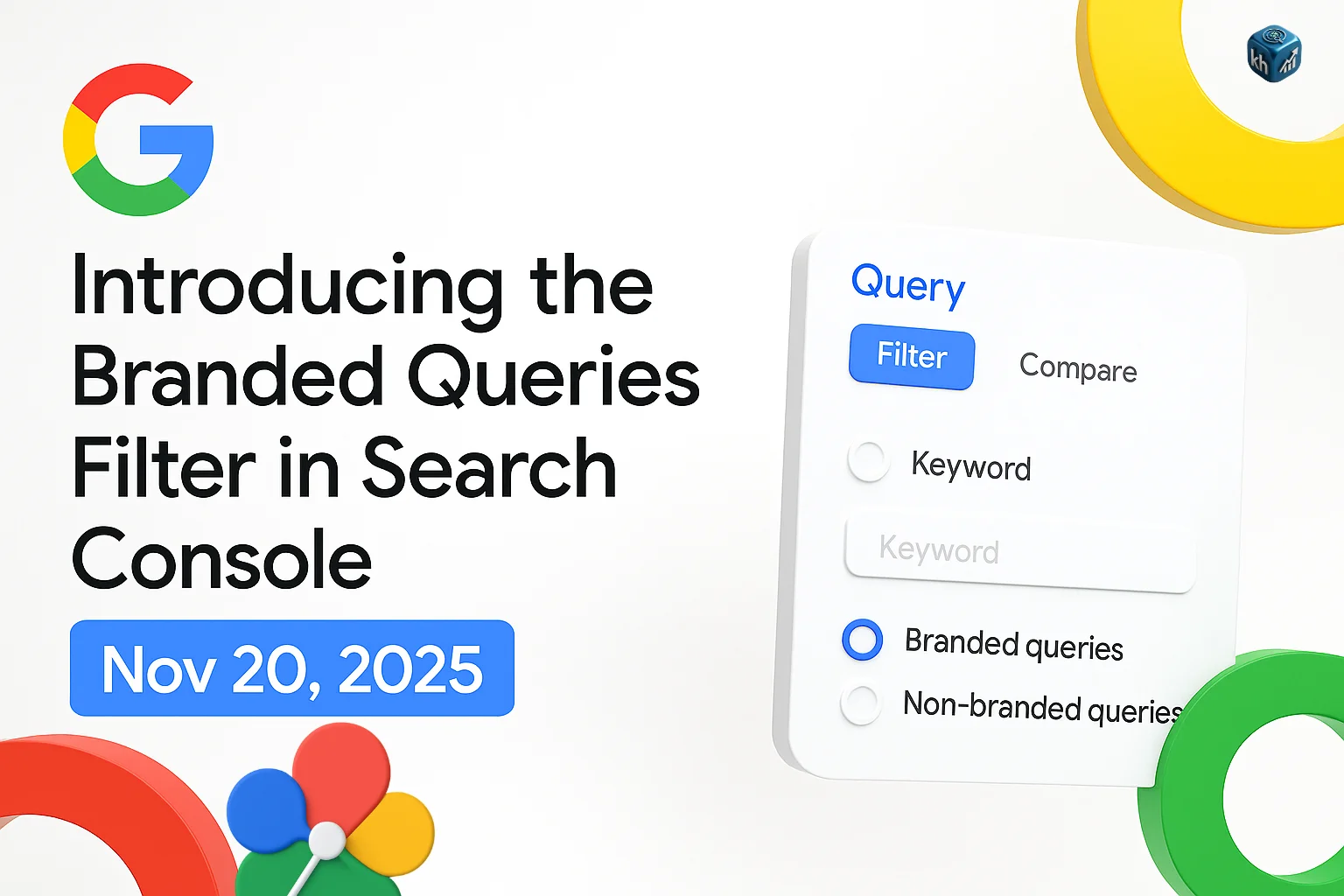
Following the launch of the Query Groups filter last month, Google has now added another advanced segmentation tool inside Search Console’s Performance Report — the Branded Queries Filter.
This update, announced officially on November 20, 2025, allows AI SEO specialists and website owners to differentiate between branded and non-branded search traffic automatically. (Source)
It’s a significant addition that simplifies traffic analysis, brand monitoring, and query segmentation — all directly within Search Console.
🏷️ What Is a Branded Query?
A branded query is any search that includes your brand name, brand variations, or misspellings of your brand or product names.
For example:
- “Google Analytics” or “Gmail login” are branded queries for Google.
- “Gmail alternatives” or “best free email apps” are non-branded queries.
Branded traffic typically comes from users already familiar with your brand, leading to higher CTR and more direct visits.
Non-branded traffic, on the other hand, reflects discovery and organic reach — users who find you for the first time.
Understanding the difference helps SEOs measure brand strength and organic visibility growth beyond existing customers.
⚙️ How the Branded Queries Filter Works
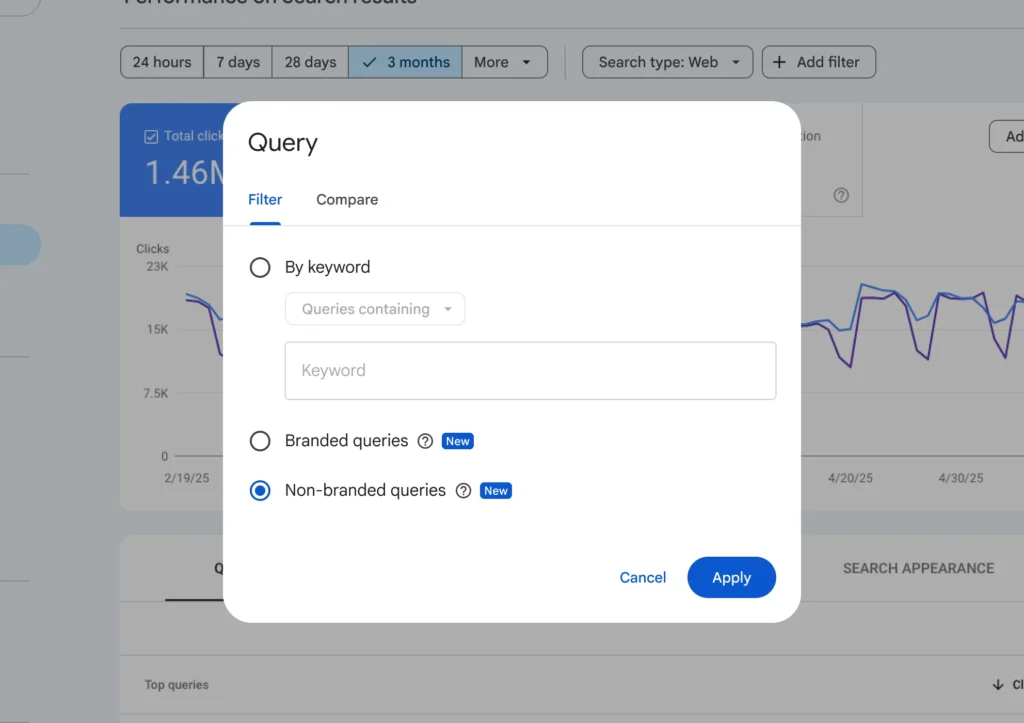
The new filter is available inside the Search Console Performance report and can be combined with other filters (like device, country, and date).
It segments query data into two distinct views:
1️⃣ Branded: Shows performance data for queries that include your brand name or closely associated product names (for example, Google, Gmail, YouTube).
2️⃣ Non-Branded: Shows all other queries where the brand name is not part of the user’s search.
This functionality helps you understand how much of your traffic is brand-driven vs discovery-driven, which is crucial for SEO strategy, brand awareness tracking, and competitive analysis.
How Google Identifies Branded Queries
Google emphasizes that branded classification is not based on regex rules or manual keyword exclusions.
Instead, it uses:
- Internal AI-based systems
- Your website’s brand name
- Recognized branded product names
- Language- and region-aware logic
- Google’s understanding of your site’s entity profile
Google also notes that due to the contextual nature of search, some queries may be misclassified, but overall, the system is designed to make segmentation easier and more accurate.
Importantly:
This feature has no impact on Google Search rankings.
It is purely analytical.
🔍 Why This Update Matters for SEO Professionals
Before this launch, SEOs had to manually extract query data and apply regex filters in tools like Data Studio or Google Sheets to separate brand-related searches.
Now, Google provides a native, one-click solution inside Search Console — eliminating the need for manual filtering or external dashboards.
Key Benefits for SEO & Digital Marketing Teams
- 📊 Simplifies reporting: Instantly segment branded vs non-branded performance within GSC.
- 🧠 Improves strategy: Understand whether traffic growth is due to stronger brand searches or increased non-brand discovery.
- 💼 Tracks brand awareness: Evaluate how offline or PR campaigns drive branded query impressions.
- 🧩 Enhances keyword insights: Identify non-branded opportunities for expanding reach and visibility.
- 🔄 Works with Query Groups: You can combine the branded filter with Query Groups for deeper segmentation.
📈 Practical Example
Imagine you run an ecommerce brand called TechEase.
In the Performance Report, you can now:
- Select Branded Queries → TechEase to analyze clicks and impressions from people who already know your brand.
- Then switch to Non-Branded Queries to see discovery searches like “best budget laptops” or “affordable tech accessories.”
This helps determine whether SEO campaigns are driving brand growth or new customer acquisition.
🧠 How SEOs Can Use This Filter Strategically
1️⃣ Brand Health Monitoring:
Track the growth of branded queries to evaluate the impact of PR, influencer, or offline campaigns.
2️⃣ Organic Growth Tracking:
Compare branded vs non-branded growth to determine if SEO optimizations are attracting new audiences.
3️⃣ Competitor Benchmarking:
Measure how much branded search volume you command compared to generic product terms.
4️⃣ CTR Analysis:
Branded queries generally have higher CTR — comparing CTR between filters reveals content or snippet performance gaps.
5️⃣ Executive Reporting:
Easily separate brand-driven traffic from organic discovery to provide cleaner insights to stakeholders.
🔄 Rollout and Availability
According to Google’s official post, this feature is rolling out globally within the Search Console Performance Report interface.
If you don’t see the option yet, it should appear in your property within the coming days.
🧭 How It Complements the Query Groups Feature
The Branded Queries Filter builds on the Query Groups feature launched in October 2025, which grouped similar queries for performance comparison.
While Query Groups help analyze topics and clusters, the Branded Filter focuses on brand recognition and search intent differentiation.
Together, they provide a complete analytical ecosystem inside Search Console for SEO and brand management.
🚀 Final Takeaway
The Branded Queries Filter is a small but impactful addition for SEO analysts, marketers, and brand teams.
It bridges the gap between brand performance metrics and non-branded organic insights — directly within Google Search Console.
For many, this marks a shift toward Search Console becoming a more complete SEO intelligence hub, with tools that previously required external analytics platforms.
FAQ
oogle officially launched the Branded Queries Filter on November 20, 2025.
It’s available in Search Console → Performance → Filter by Query → Branded / Non-Branded.
Yes. Google automatically identifies brand terms associated with your website’s verified domain and product names.
Query Groups help cluster similar queries, while the Branded Filter specifically distinguishes brand-related searches from generic ones.
Yes. You can export these segmented datasets via the Search Console interface or API for further analysis or dashboard integration.
Author
Harshit Kumar is an Indian AI SEO Specialist with over 7 years of experience decoding Google Search updates and analytics features. He simplifies complex SEO changes into actionable insights for digital marketers worldwide.
Leave a Reply