Google Search Console Launches AI-Powered Configuration to Simplify Performance Analysis (Dec 4, 2025)
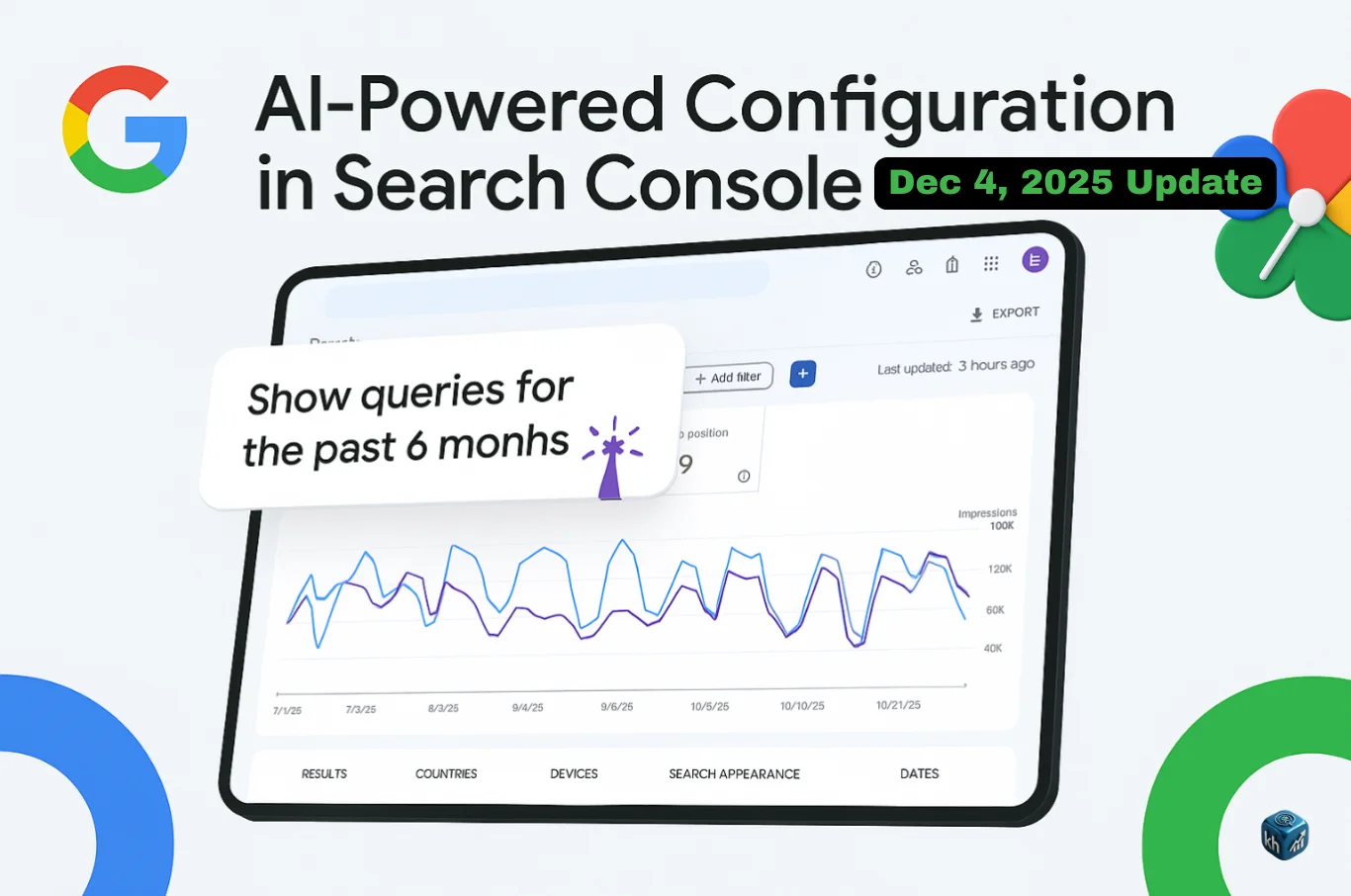
Google has announced a major upgrade in Search Console — the new AI-Powered Configuration feature inside the Performance Report, launched on Thursday, December 4, 2025. Streamline your Search Console …
The goal of this feature is to reduce the time SEO specialists and website owners spend configuring reports and let them uncover insights faster using natural-language commands (Source).
Instead of manually selecting filters, metrics, and comparisons one-by-one, users can now simply describe the report they want (in plain English), and Google Search Console will instantly configure it for them.
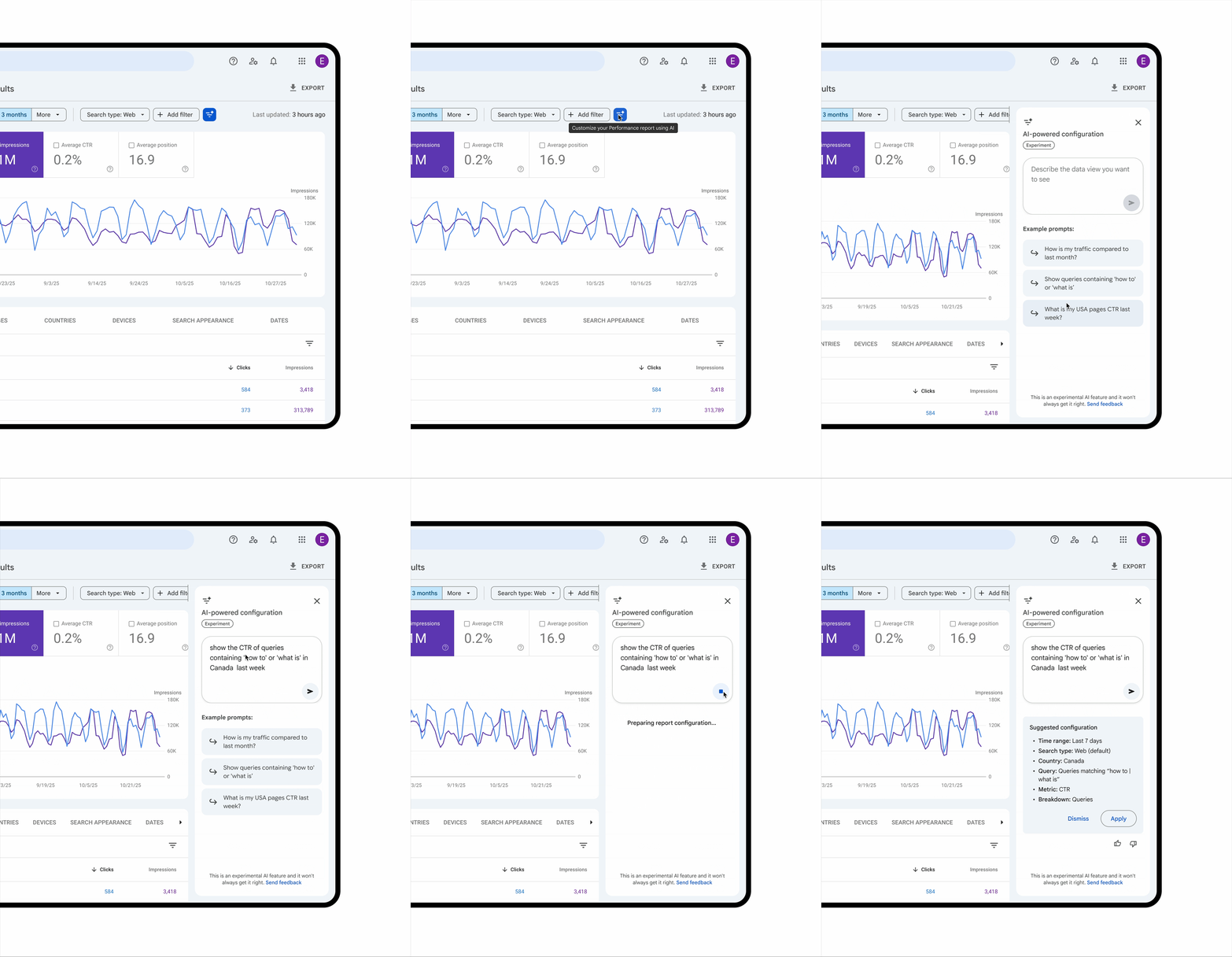
🔍 What exactly is the AI-Powered Configuration?
The feature translates your written request in natural language into a configured Performance report.
Google’s AI automatically sets:
| Report Component | Configured by AI |
|---|---|
| Filters | Query, page, country, device, search appearance, date range |
| Comparisons | Example: Previous period vs current |
| Metrics | Clicks, Impressions, Average CTR, Average Position |
This saves time for SEOs who regularly adjust filters, compare periods, or analyze traffic variations manually — the AI handles the structure for you. Streamline your Search Console …
🧠 How to Use AI-Powered Configuration (Step-by-Step)
1️⃣ Open Search Console → Performance Report
2️⃣ Click the AI-Powered Configuration prompt
3️⃣ Type what you want to analyze in natural language
4️⃣ AI automatically applies the relevant filters, comparisons, and metrics
📌 Example prompts directly suggested by Google:
| Query Written by User | What GSC Does Automatically |
|---|---|
| “Show me queries on phone searches that contain the word ‘sports’ in the last 6 months.” | Filters by device = mobile → filters query contains “sports” → applies 6-month date range |
| “Compare traffic for my pages that contain ‘/blog’ in this quarter to the same quarter last year.” | Creates page filter → sets comparison date range → applies clicks & impressions |
| “Show me the Average CTR and Average Position of my queries in Spain in the last 28 days.” | Country = Spain → Date = last 28 days → Metrics = CTR + Avg Position |
| “Show clicks for pages that include the word ‘google’.” | Filters pages that contain “google” → Metric = Clicks |
All examples above are official Google use cases Streamline your Search Console …
Real Examples of AI-Powered Configuration Queries (Ready to Use)
To help you make the most of the new AI-powered configuration in Search Console, here are some real and practical examples you can type directly into the Performance report search bar. These examples show how AI interprets natural language and automatically applies the right filters, comparisons, and metrics for you.
🟢 Example 1 — Targeted Filtering
“Show me queries from the last 6 months containing SEO.”
This will automatically:
- Select Search type: Web
- Set date range: last 6 months
- Apply a query filter containing the word “SEO”
Perfect for evaluating long-term SEO-focused keyword performance.
🟢 Example 2 — Device-Based Comparison
“Compare CTR for mobile vs desktop for blog pages last quarter.”
This will automatically:
- Select Search appearance: Page type = Blog
- Set date range: last quarter
- Compare CTR between mobile and desktop devices
Great for understanding how user intent and behaviour differs by device.
🟢 Example 3 — Location & Performance Deep-Dive
“Show impressions and clicks for Spain over the last 28 days.”
This will automatically:
- Apply country filter = Spain
- Set date range: last 28 days
- Display Clicks and Impressions metrics only
Ideal for region-specific SEO performance and market expansion insights.
🟢 Example 4 — Content-Specific Engagement Check
“Show clicks for pages that include the word Google.”
This will automatically:
- Apply URL filter containing “Google”
- Display Clicks only (as the chosen metric)
Useful for measuring engagement on articles, case studies, and resource pages.
🟢 Example 5 — Intent-Focused Query Breakdown
“Show non-branded queries that include AI for the last 90 days.”
This will automatically:
- Apply Non-branded filter
- Set date range: last 90 days
- Apply query filter containing the word “AI”
Great for tracking acquisition and new-audience growth.
🎯 Why This Matters for SEO — Practical Benefits
➤ 1. Faster insight discovery
No more repetitive manual filtering — insights appear instantly, improving decision-making speed.
➤ 2. Better analysis quality
The AI applies multiple filters at once that many SEOs forget manually, reducing blind spots.
➤ 3. Advanced comparisons with zero setup
Side-by-side comparisons like quarter-over-quarter or year-over-year can be generated in one command.
➤ 4. Helps identify trending content opportunities
Filtering traffic by device, region, appearance, date range, and intent can reveal:
- Why certain content grows or drops
- Which countries/devices are leading performance
- Where content expansion is worth investing
⚠ Limitations You Should Know
Google mentions three current limits (as of launch):
| Limitation | Status |
|---|---|
| Only available for Search Performance Report | Not available for Discover or News reports |
| AI may misinterpret requests | Users should check filters before analyzing |
| Cannot sort tables or export data automatically | Sorting & export still need manual action |
Source: Google’s launch article Streamline your Search Console …
🗺 Availability & Rollout Details
The update is rolling out gradually to a limited set of websites first — if you don’t see it yet, your property may not be included in the current batch.
Google will expand access over time. Streamline your Search Console …
🔥 SEO Strategy: How to Take Advantage of This Update
📌 Recommended usage for SEO specialists & agencies
| Impact Area | What to do |
|---|---|
| Content strategy | Compare top vs declining pages automatically to understand patterns |
| Tech SEO | Track changes after deployments or fixes faster |
| Experiment validation | Measure traffic shifts after title/meta/content experiments |
| Local SEO | Filter country-specific traffic & compare regions instantly |
| Revenue-focused | Compare brand vs non-brand metrics automatically |
📌 Pro tip for agencies
Use natural-language requests to generate insights quickly during client meetings — live, without wasting time on manual report setup.
FAQ
Not yet. Google has launched the feature, but access is rolling out gradually and is currently available to a limited set of websites.
It works only inside the Search Performance Report. It does not support the Discover or News Performance reports.
Yes. AI can apply multiple filters and comparisons automatically based on natural-language input.
Not always. Google advises reviewing filters after AI configures the report in case the interpretation differs from the user’s intent.
No. The AI is only for configuration. Sorting tables and exporting data must still be done manually.
Final Thoughts
The AI-Powered Configuration update marks a big step forward in Search Console automation, helping professionals reduce time spent on report configuration and increase time spent on decision-making and growth strategy.
For SEO agencies, content teams, and digital marketers — this is one of the most productivity-enhancing Search Console updates released in 2025.
Author
Harshit Kumar is an AI SEO Specialist with 7+ years of experience in technical SEO, Google Search updates, and data-driven ranking strategies. He actively researches and tests every new Google feature using real-world experiments, helping businesses and marketers understand algorithm changes and improve organic visibility with practical, field-tested insights.
This is a wonderful article — very practical and informative overall.